
Capacity Planner

Plan capacity and allocations around Jira
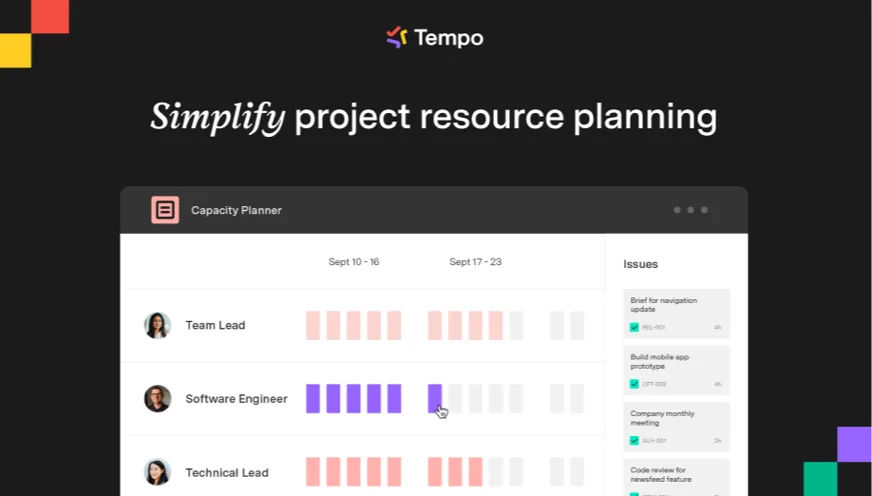
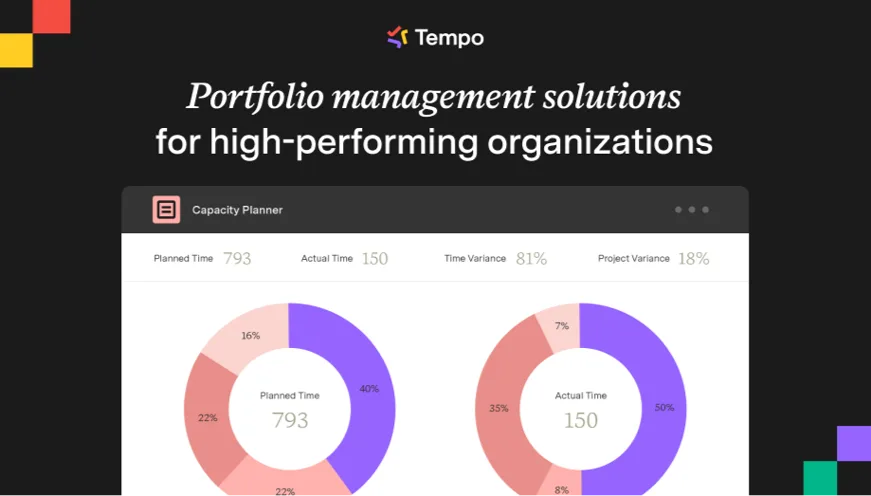
Tempo Capacity Planner helps plan resources, visualize availability and load, compare planned versus actual work, and anticipate trade-offs.
Ovyka helps connect planning with Jira teams, calendars, plans, Timesheets and capacity-steering needs.
Capabilities
Capacity Planner in action
Team planning, workload, allocations and planned-versus-actual comparison make capacity decisions easier.
Tempo
Move from reactive workload to managed capacity
Planner is useful when allocations and availability must be visible before decisions, not only analyzed afterwards.
Readable availability
Visualize who can take what, when, and with which workload or role constraints.
Jira-connected plans
Plan on projects, tasks or issues while keeping the connection with Jira workflows.
Compare with actuals
Compare plans with Timesheets data to improve future estimates.
Faster trade-offs
Identify overload, under-capacity, resource requests and conflicts before they block delivery.
Use cases
Frequent use cases
Ovyka implements Planner for teams that want reliable capacity without moving decisions outside Jira.
Project staffing
Allocate people or teams based on availability, role and project priority.
Sprint or release preparation
Compare demand, available capacity and planned load before commitment.
Planned vs actual steering
Connect Planner and Timesheets to understand gaps and improve forecasts.
Ovyka
What Ovyka secures
Capacity planning works only when teams, roles, availability and prioritization rules are clear.

Qualify staffing, capacity, workload and prioritization decisions

Audit Jira teams, calendars, workload schemes and permissions

Configure plans, views, roles, resource requests and useful workflows

Connect Planner to Timesheets for planned vs actual analysis

Connect Structure PPM or Plans in Jira Premium when portfolio steering requires it

Train managers, project leads and administrators
Need reliable capacity planning in Jira?
Ovyka can prepare a demo, select the right licensing scope and implement a Planner practice connected to your teams.
Contact Ovyka